Notification Setting
FOSSWarn allows you to select which event you would like to receive a notification for. For that, navigate to settings -> notification settings.
FOSSWarn allows you to select a severity level as a global setting for every alert and event, and since version 1.1.0, also per alert category.
Global setting
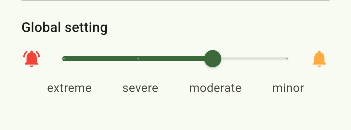
With the first slider, you define the global severity level at which you would like to receive a notification. The slider is inverted. By setting the slider to moderate, you will receive notifications for alerts with severities extreme, severe, and moderate, but you will not receive any notifications for minor. The global setting will always override the category settings.
Per-Category setting
Since version 1.1.0, you can also select the severity level for every alert category. Each warning can have one or more categories. Here, you can select the severity level at which you would like to receive notifications for each category. If one alert has multiple categories, the maximal setting is applied. The global setting will always override the category setting. You will notice that all sliders will move to the max allowed setting as soon as you move the global setting.
Example:
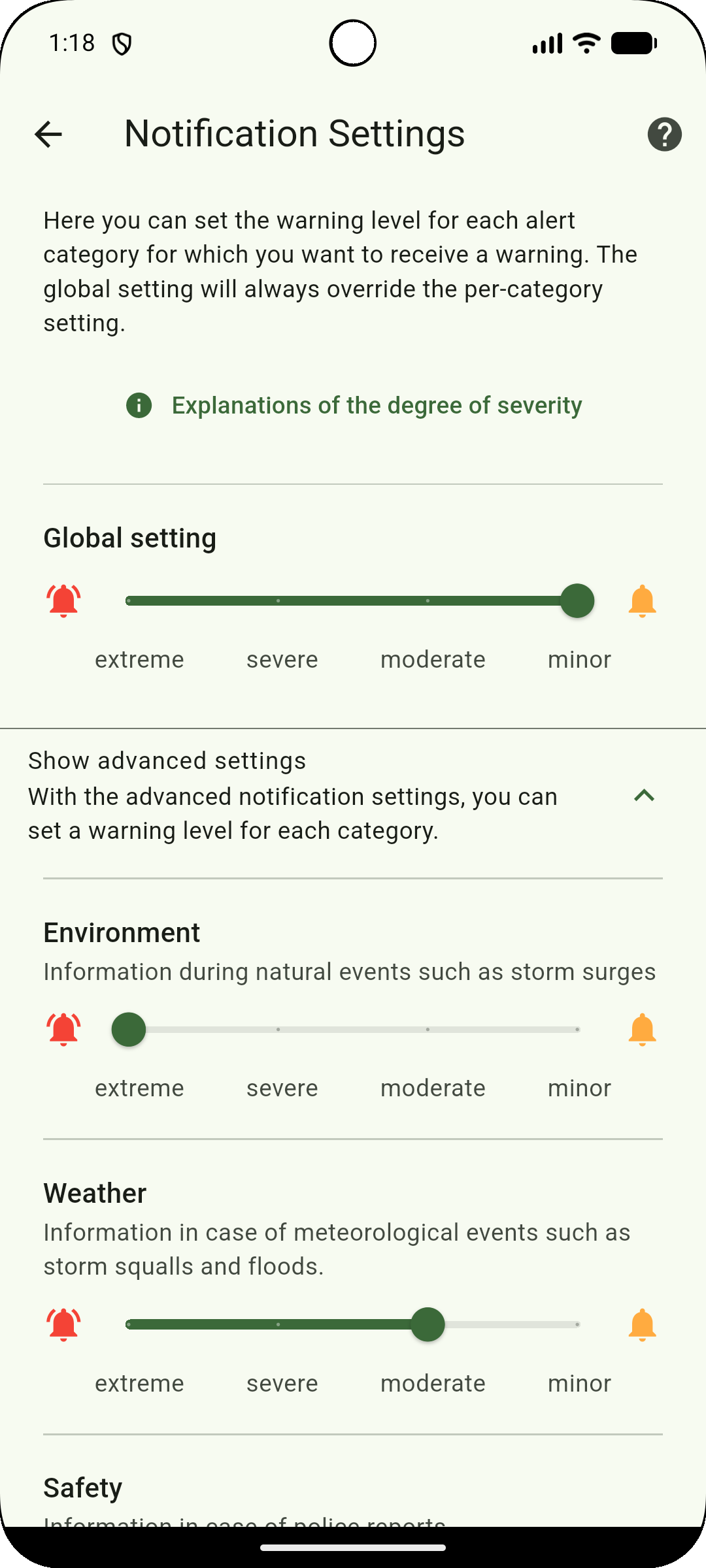
You selected minor as a global setting, extreme for Environmental alerts, and moderate for weather. You will now receive notifications for the following alerts: