Alert Services
Note
The different alert services are available since version 1.1.0
FOSSWarn features multiple ways to receive alerts. To select your preferred way of receiving alerts, navigate to Settings -> Alert Services
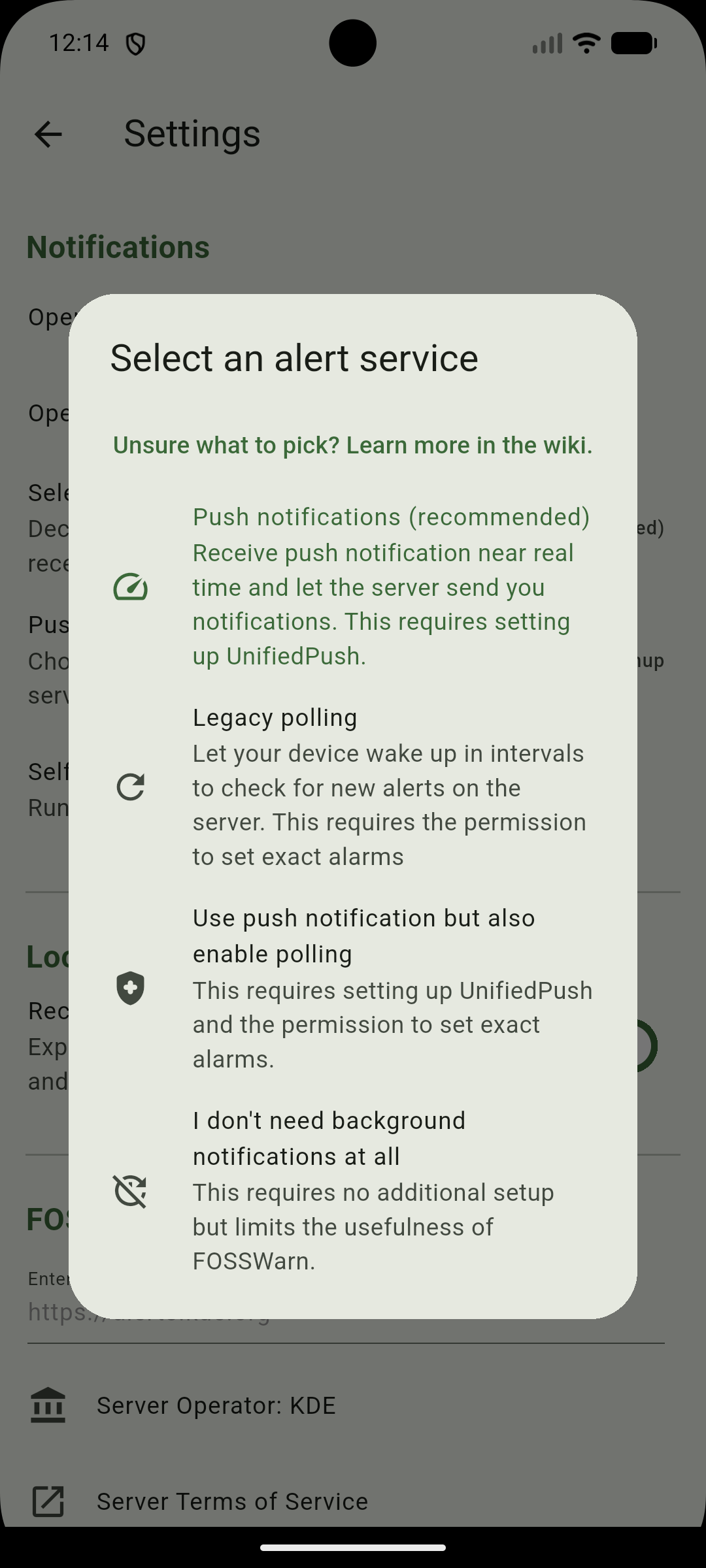
Here you can choose between the following options:
-
Push notifications
This is the default for new installations. This allows you to receive notifications with less delay as the server can push a new message to your device. As push services, FOSSWarn uses UnifiedPush, as this is an open source and privacy-preserving way of receiving push notifications. This option requires setting up an additional UnifiedPush distributor. More information regarding that can be found here. -
Legacy polling (still experimental)
Previous versions of FOSSWarn relied on a polling mechanism instead of using push notifications. Since version 1.1.0, this can be used again. Using this option will wake up your device in intervals of 15 minutes to check the server for new alerts. This requires the Android permission to schedule exact alarms and requires disabling battery optimization for this app. This new implementation of this old feature is still experimental and requires further testing. Feedback is welcome. -
Using push notification but also enable polling (still experimental)
If you can have both, why not use both? With this option, you will receive push notifications, but FOSSWarn will also wake up in intervals to check for alerts. This can be useful if the server is struggling with a huge amount of push notifications or if your push notification server is unreliable. This is a new feature that also needs further testing. - I don't need background notifications at all
This will disable push notifications as well as the polling. This requires no additional setup and can be useful if you just want to see the alerts when you open the app. This limits the usefulness of FOSSwarn, as you will not receive any notifications about new alerts when the app is closed.